AI Case Management | July Changelog
Last updated: September 26, 2025
What would a case management system look like with AI at the forefront?
Our initial hypothesis: There should be no rework, no copying and pasting, no manual entry to track clients and dates and update forms… AI case management should update itself continuously, operating in the background, just based on the work that’s already being done.
As a start, we’ve launched several features that drive in this direction, while still building upon Parley’s core drafting workflows.
What's new?
Collect Evidence and Complete Forms Directly in Parley
Now, collaborate directly with your clients through Parley. Send customizable document requests and let Parley’s AI analyze evidence, extract out form field inputs, review with your client, and identify key gaps and follow-ups.
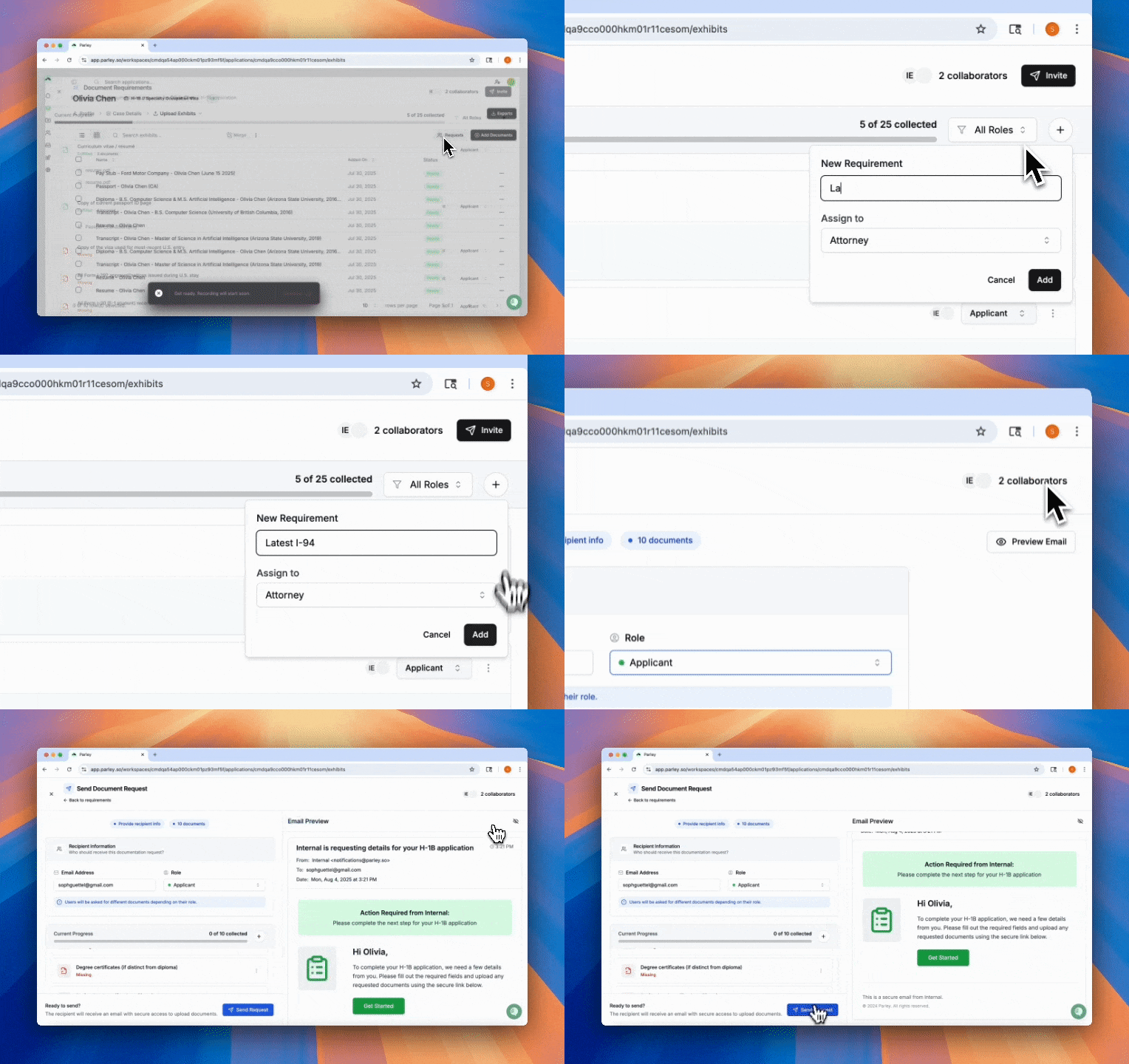
Collaborate in Parley is built on a core document-first approach. Here’s what we hope to unlock:
Less Manual Entry: Many exhibits necessary for the finalized packet already contain the information required to fill out the forms. Parley reads every document to fill this out on your behalf.
Less Client Back and Forth: Parley’s form is deduplicated across the I-140, I-129, I-907, and G-28… with more coming soon. You shouldn’t have to ask clients for the same piece of information twice.
Fewer Client Errors: Forms are a little tricky and there’s lots of places where clients can make small mistakes. Parley will fill out key information using their exhibits first and let them review and confirm to limit these errors.
Collaborate has been released on every H-1B and TN application. If you’re not currently a part of our H-1B and TN beta and want early access to features to these, please reach out.
Create Multiple Cases for the Same Petitioner with No Re-Work
Are you working with the same petitioners at scale? Petitioner Profiles allow you to save key inputs for forms and key exhibits for petitions - all automatically pulled into any new case you create.
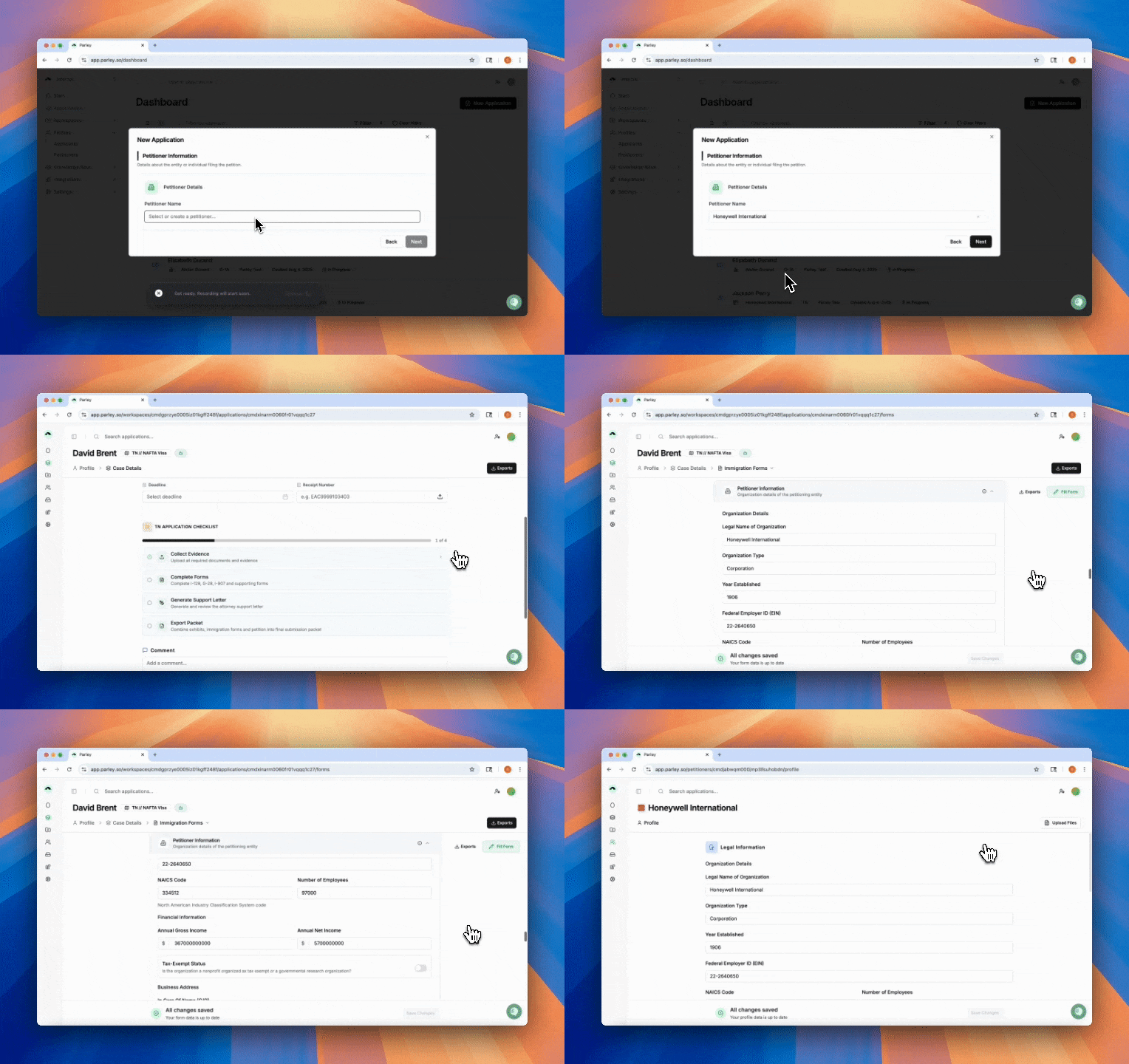
Track USCIS updates in Parley
The USCIS API is live. Just drag and drop I-797s direct to your Applicant Profile and you’ll start receiving updates on your case. Drafting an RFE in Parley? Don’t even worry about uploading an I-797 – Parley will pull your receipt numbers automatically to keep you up-to-date with adjudication.
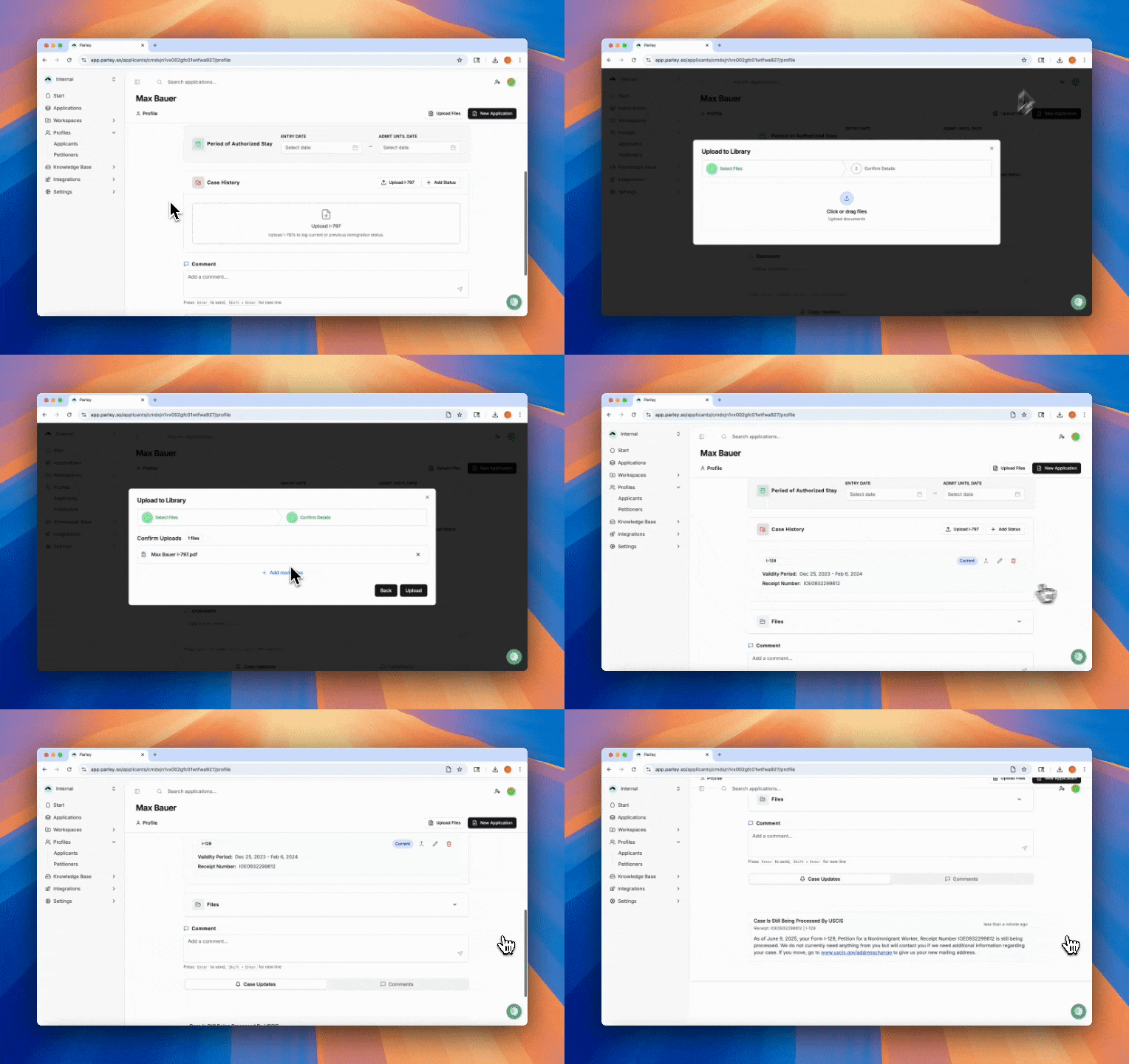
Track your client's immigration status in Parley
With Applicant Profiles, log validity dates, track USCIS updates, take notes, and store important biographical files. These profiles are just the first step in the direction of the self-directed case manager. Don’t worry about creating these yourself. Every time you start working on an application, Parley will create a profile automatically for your client.
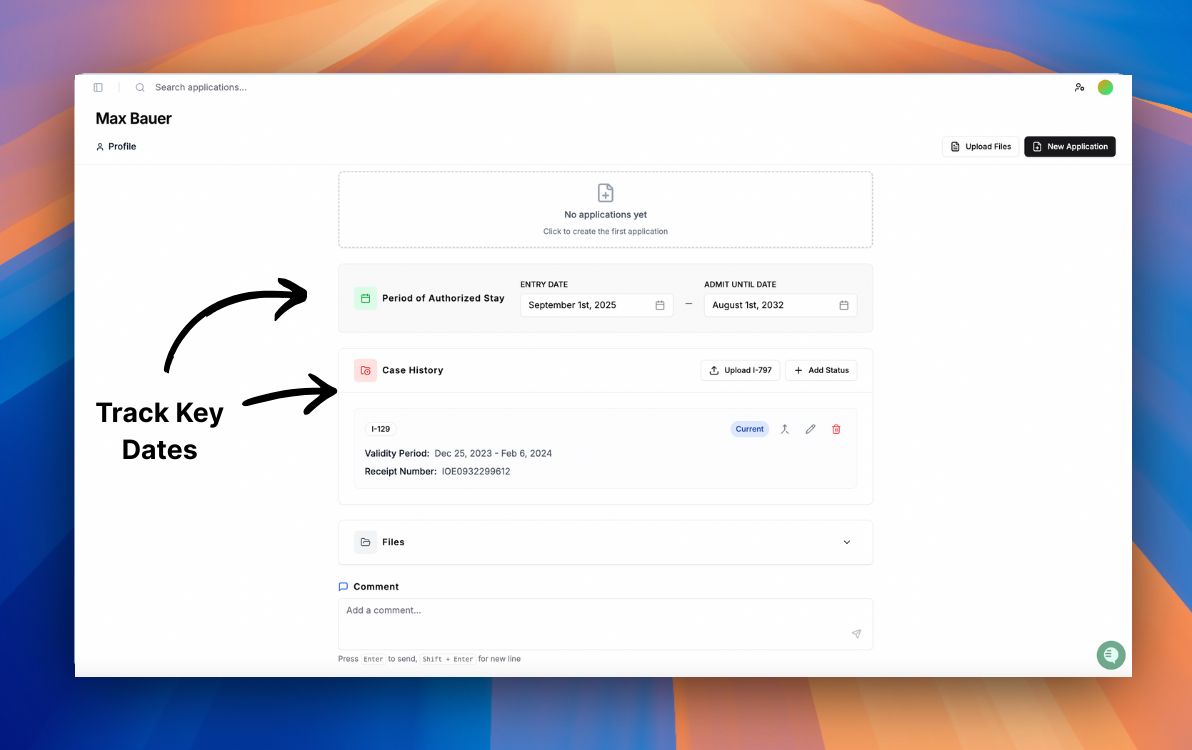
What would it look like if RFEs were just as easy as the original petition?
🔹 Draft L-1A, L-1B, New Office L RFE responses directly from Parley.
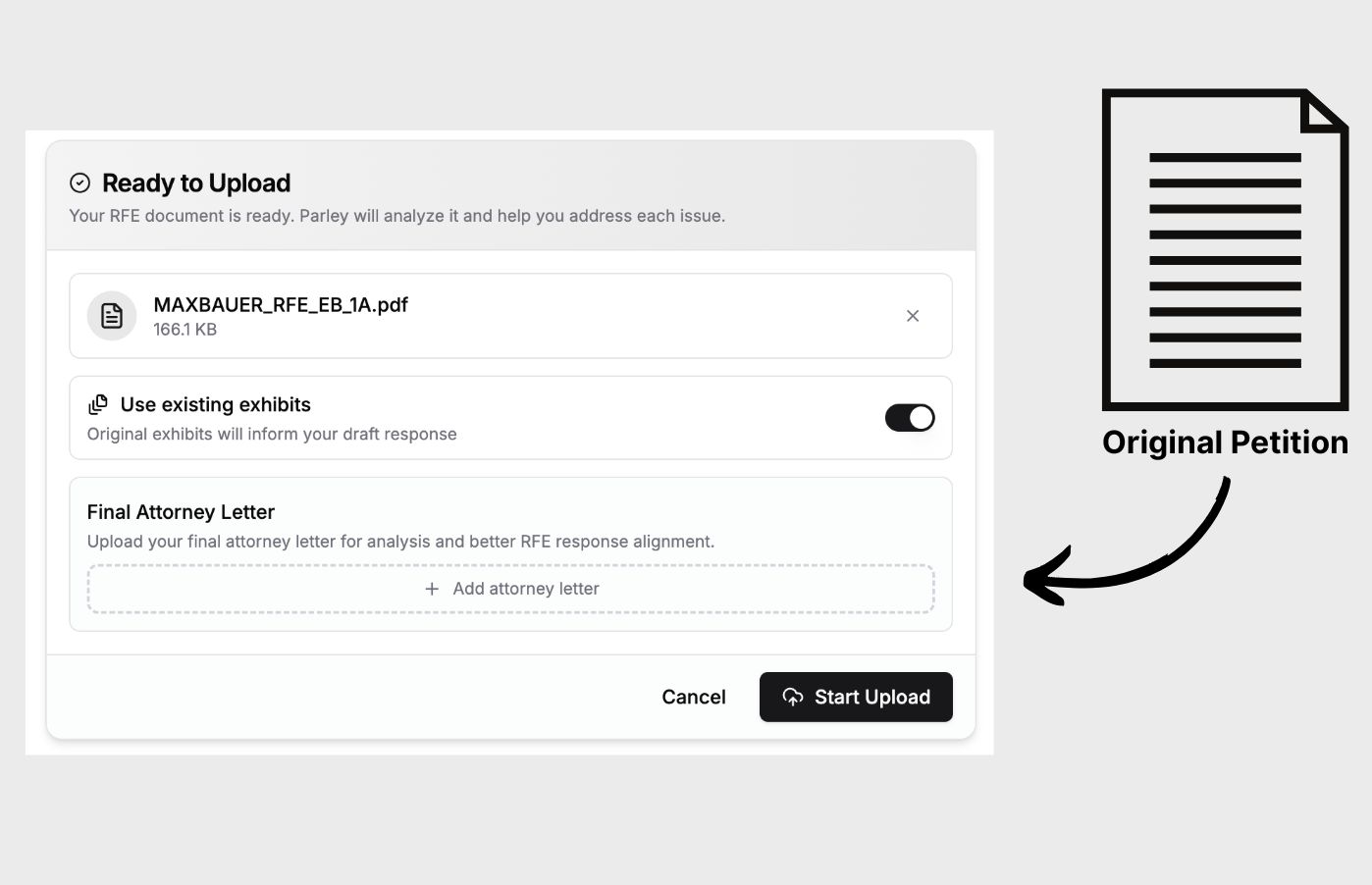
Just upload the RFE and the original petition and you’re ready to draft. Separate indices for new and original exhibits means Parley knows how to respond to the officer’s comments with new evidence while refuting the officer’s claims with original evidence.
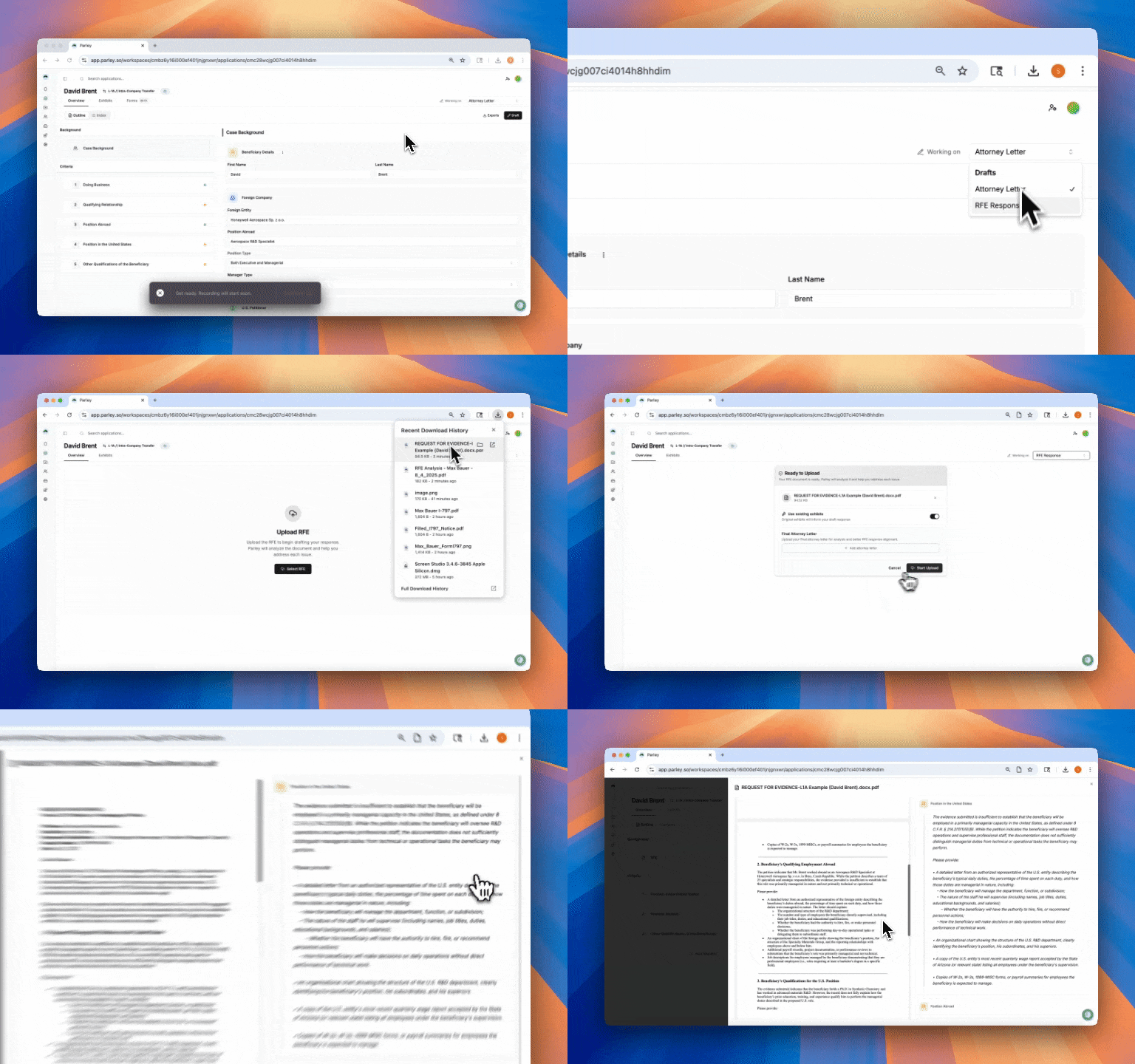
🔹 Draft RFE responses even if you didn’t do the original petition in Parley
Now, when a client comes to you with an RFE and you’re not sure where to start - just open an O-1A, O-1B, EB-1A, L-1A, L-1B, or L New Office case in Parley - and upload the RFE and the original petition to Parley to kick off a response instantly.
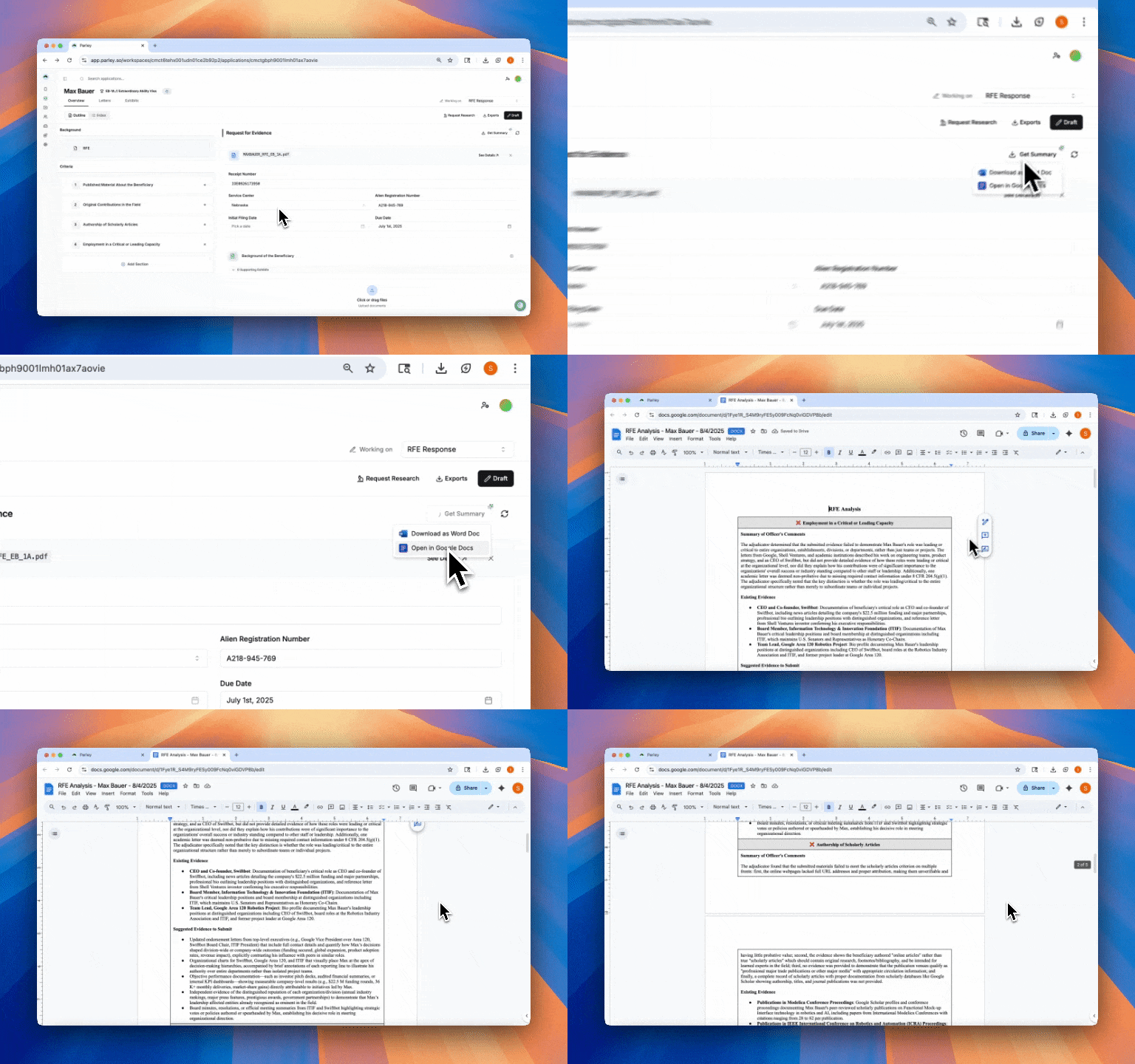
🔹 Prep for RFE client calls in minutes
Now, as soon as you upload the RFE, a call prep analysis is generated. This analysis maps the officer’s comments to criteria, summarizes them, identifies and lists evidence submitted in the original petition, and suggests new supporting evidence to respond to the officer’s comments.
Lots of Improvements!
Simplified form and packet assembly for TN and H-1B — now see all your evidence in one place and compile with just a few clicks.
RFE criteria now automatically match the officer’s comment order, so your response structure makes sense out of the gate.
Petitioner logos now display across application views to make case navigation faster and clearer.
Form readiness and reset logic is cleaned up — as soon as you start an application and upload evidence, expect your I-129, I-140, I-907, or G-28 to start filling out.
RFEs now automatically move your case into the correct status in Parley, so you always know what stage you're in.
Approved cases are now hidden on your dashboard, making it easier to focus on what’s active.